
For lawn & landscape businesses
Run your lawn care business
right from your truck.
Your customers, schedule, routes, and invoices in one clear workspace. Keep your crews moving and your paperwork under control.
From service request to paid invoice
Everything stays connected
without double-entry.
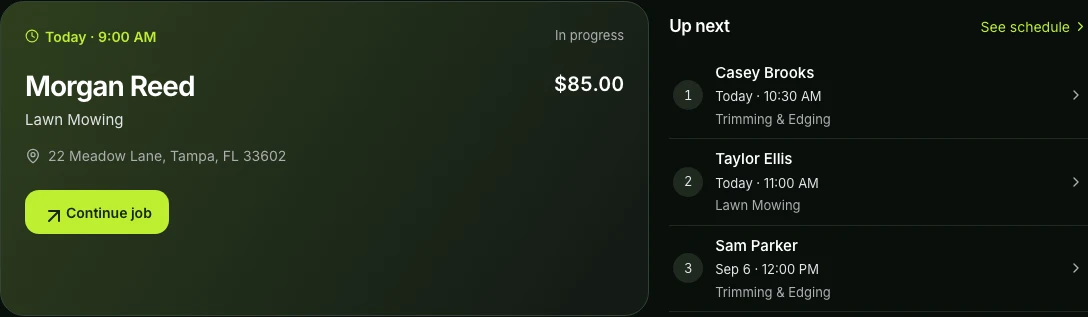
Stop piecing together calendars, text threads, and paper notes. When you pull up to the curb, you have the full job history in your hand.
Turn service inquiries into repeat customers
Give your business an online presence with a public booking page, service catalog, service area, and verified customer reviews. Keep client records, gate codes, property notes, and quote history in one place as you grow.
- Company profile
- Customer records
- Quotes and change orders
Give every crew a clear daily plan
Build recurring mowing schedules and one-time visits with built-in weather tracking. Put your stops in the shortest driving sequence and dispatch crews without double-booking.
- Recurring visits
- Shortest route order
- Weather review
Get paid faster without chasing invoices
Update job status, take property before-and-after photos, and track visit notes. Send an invoice with a tap as soon as work is done, share a secure Stripe payment link, or log cash on site.
- Field job tracking
- Before & after photos
- One-tap invoicing
Built for outdoor work
Fast tools for the field.
Zero clutter.
Designed for bright sunlight, quick glances between properties, and simple crew dispatch.
Made for your phone
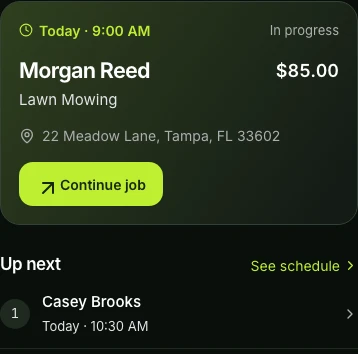
Use Gräs on iOS, Android, or mobile web. Check the next customer, address, gate code, and notes right from the truck.
Quick glance between stops
Supported iOS widgets, Live Activities, and CarPlay keep your next stop and directions front and center while driving.
Safe dispatch for your crew
Team Pro supports up to five independent crews. Field workers see their assigned stops without access to your financial data or billing.
Take payments on site
Send Stripe payment links via text or email, or record offline payments on the spot. Tap to Pay on iPhone is coming soon.
Photo proof of work
Save private photos and job notes directly to the property record. Protect your business against damage claims and keep history clear.
Clear view of business costs
Solo Pro and Team Pro bring expenses, receipt photos, vehicle mileage, equipment tracking, and tax exports into the same workspace.
Available tools depend on your plan, device, and account setup. Customer text updates require consent.
Before you get started
A few useful answers.
What can I do on the Free plan?
Start with unlimited jobs and scheduling, recurring services, customer and property records, manual routes, weather intelligence, payment tracking, and a public booking page. Online payments carry Stripe processing fees plus the Free plan’s Gräs fee.
When would I need a Pro plan?
Solo Pro adds smart route optimization, en-route text updates, business cost tracking, and analytics. Team Pro adds operations for up to five independently dispatched crews with no workspace-user seat cap. Compare plans for current prices and payment fees.
Can I bring my existing customers?
Yes. You can add existing customers and properties, then keep new jobs, recurring service, notes, invoices, and payments connected to their records. You can also publish a company page for new service requests.
Do my crews see my financial information?
Crew access is limited to field work. Owner financial information and payment controls stay with authorized business roles, while crew members can follow their assignments and update job progress.
Your next workday, in one place.
Start with the essentials. Build from there.