
Lawn care route optimization
Cut windshield time and fuel costs,
before your first mower starts.
Gräs turns scheduled lawn care visits into an efficient daily driving order. Reorder stops manually on Free or use one-tap route optimization on Pro while protecting fixed appointment times.
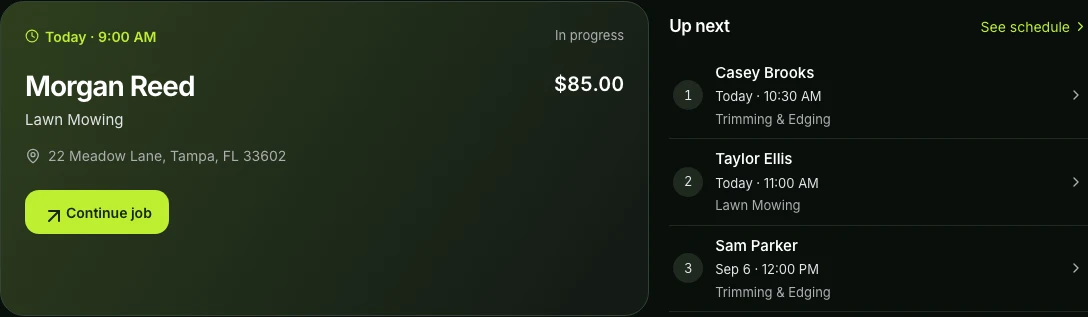
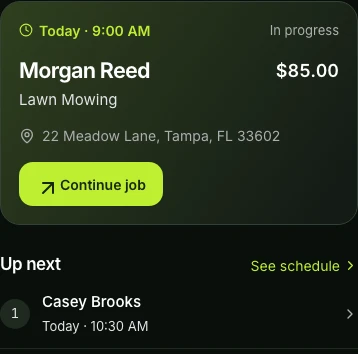
Built around the workday
Route planning that knows
what the jobs mean.
A useful lawn route is more than a shortest-path map. It needs the right properties, appointment constraints, crew assignments, timing, weather context, and customer expectations.
Manual route ordering
Every contractor can organize the day’s stops into a workable sequence without paying for route automation.
One-tap route optimization
Pro plans calculate the shortest driving sequence for your day’s properties and show your estimated time and mileage savings.
Fixed appointment protection
Jobs with committed times stay protected instead of being silently moved to make a route look shorter.
Crew-ready dispatch
Team plans connect the route to assigned field workers and the jobs they are responsible for completing.
Weather context
Review operational weather risk around real visits and choose whether a schedule change makes sense.
Live job progression
En Route, In Progress, and Complete statuses keep the route and customer experience aligned throughout the day.
How it connects
From the first request
to the next visit.
Keep the customer, property, plan, and outcome together as work moves through the day.
Load scheduled stops
Start with the jobs already planned for the day, including properties, appointment windows, and estimated duration.
Preview and adjust
Review the proposed sequence, preserve fixed work, manually reorder when local knowledge should win, and apply deliberately.
Run and learn
Track travel and onsite timing so future planning can be grounded in how the work actually happened.
Common questions
Before you get started.
Is lawn care route planning free?
Manual daily route ordering is included on the Gräs Free plan. Automated route optimization is available on paid Pro plans.
Will optimization move fixed appointments?
No. Gräs protects fixed appointment commitments and requires the contractor to review and apply route changes.
Does route planning work with recurring jobs?
Yes. Jobs generated from weekly and biweekly service plans appear in the same daily route workflow as one-time work.
Make room for a clearer workday.
Start with the essentials on the Gräs Free plan.