
Lawn care scheduling software
A clearer schedule.
From office to field.
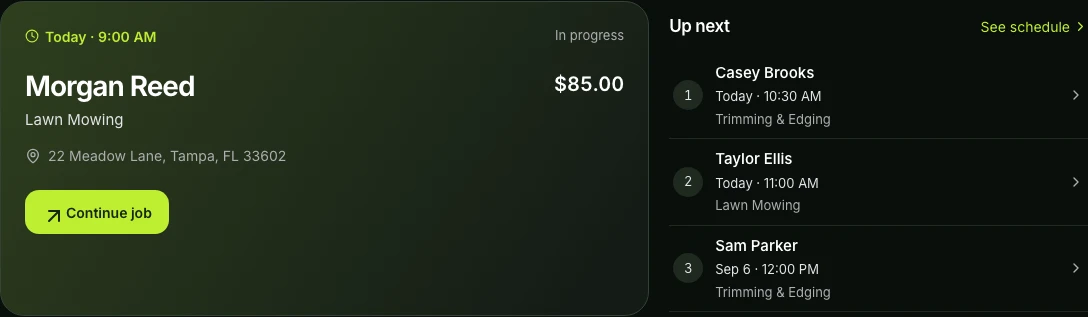
Gräs helps lawn care companies organize one-time and recurring work, assign crews, spot scheduling conflicts, review weather risk, and keep every appointment tied to the right customer and property.
Built around the workday
A clearer calendar,
from office to mower.
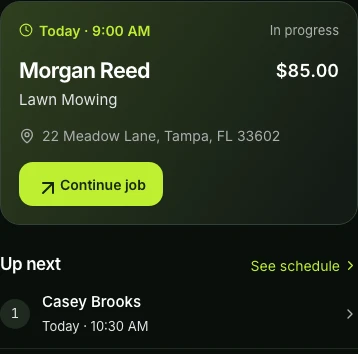
The schedule is connected to routes, job status, customer communication, invoices, and property history instead of living in a separate calendar.
One-time appointments
Create jobs with the customer, property, service, price, timing, notes, and photos already attached.
Weekly and biweekly work
Generate a rolling schedule for recurring customers without rebuilding the same route every week.
Conflict awareness
Review timing and assignment conflicts before changes reach the crew or the customer.
Crew dispatch
Team plans separate owner, manager, and field views so each person sees the work they need.
Weather review
Every plan includes forecast risk around scheduled appointments, while every reschedule decision stays with the contractor.
Customer updates
Coordinate in-app notices, opted-in text updates, and job-linked communication around the actual appointment.
How it connects
From the first request
to the next visit.
Keep the customer, property, plan, and outcome together as work moves through the day.
Create the service plan
Choose one-time, weekly, or biweekly work and save the timing, price, property, and service details.
Review the workday
Check conflicts, crew assignments, weather context, estimated duration, and route order before dispatch.
Keep the record complete
Job status, photos, timing, changes, invoicing, and customer history stay attached after the visit ends.
Common questions
Before you get started.
Can I schedule recurring lawn mowing?
Yes. Gräs supports weekly and biweekly recurring plans with controls to pause, resume, skip, end, and update future work.
Can crews see their assigned jobs?
Yes. Team plans provide crew workspaces and dispatch controls while restricting access to sensitive owner and payment information.
Does scheduling connect to routing?
Yes. Scheduled jobs feed the daily route workflow so operators can manually order stops or use Pro route optimization.
Make room for a clearer workday.
Start with the essentials on the Gräs Free plan.